
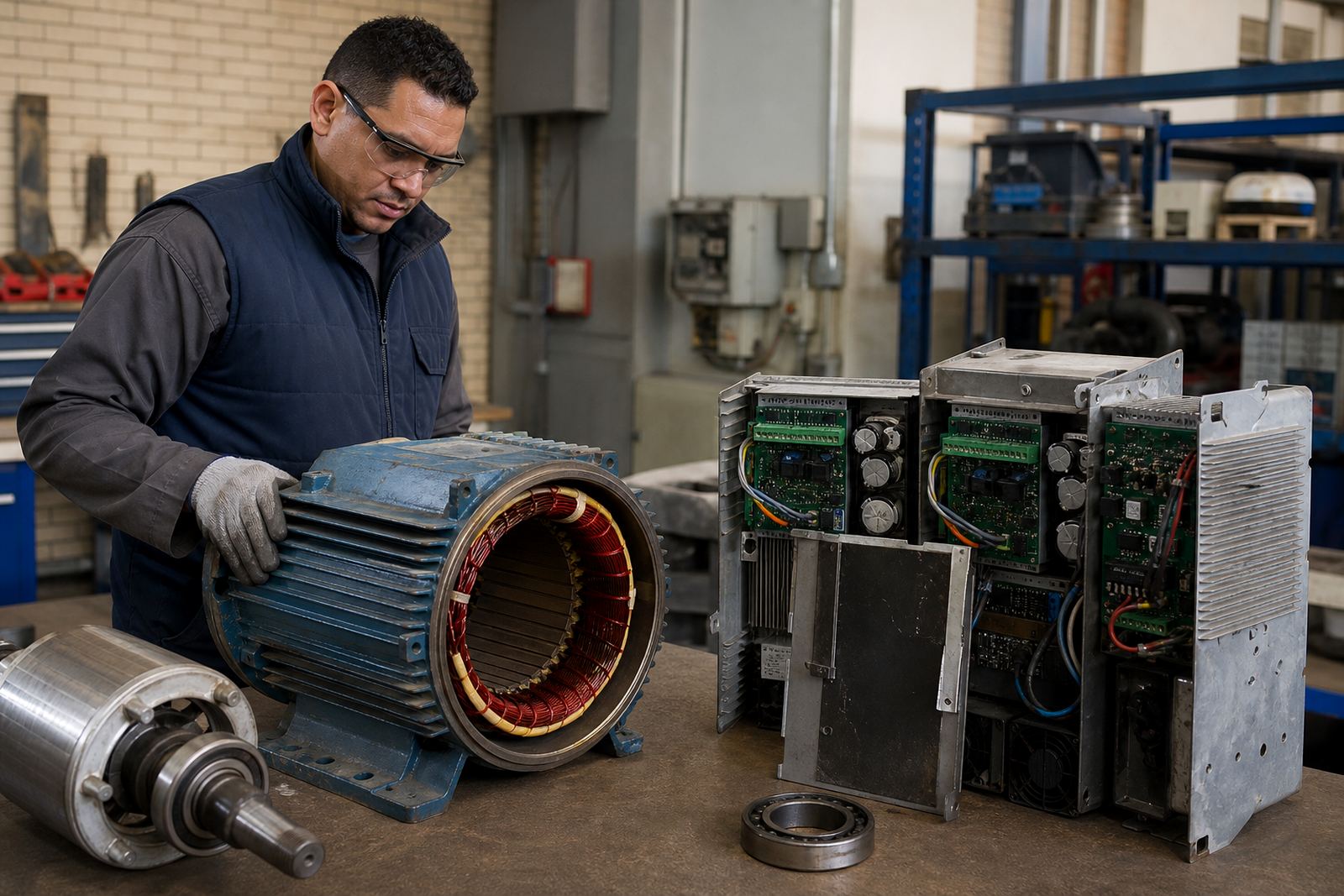

Why dust matters in motor and drive panels
In workshops, mills, food plants, sawmills and municipal sites, dust gets into panels through door gaps, cable entries, fan openings and poor housekeeping around the cabinet. Once it builds up, it can sit on contactors, drive heatsinks, relays and terminal strips. That layer may look light, but it traps heat and can also hold moisture, especially in coastal humidity or in dusty areas after rain.
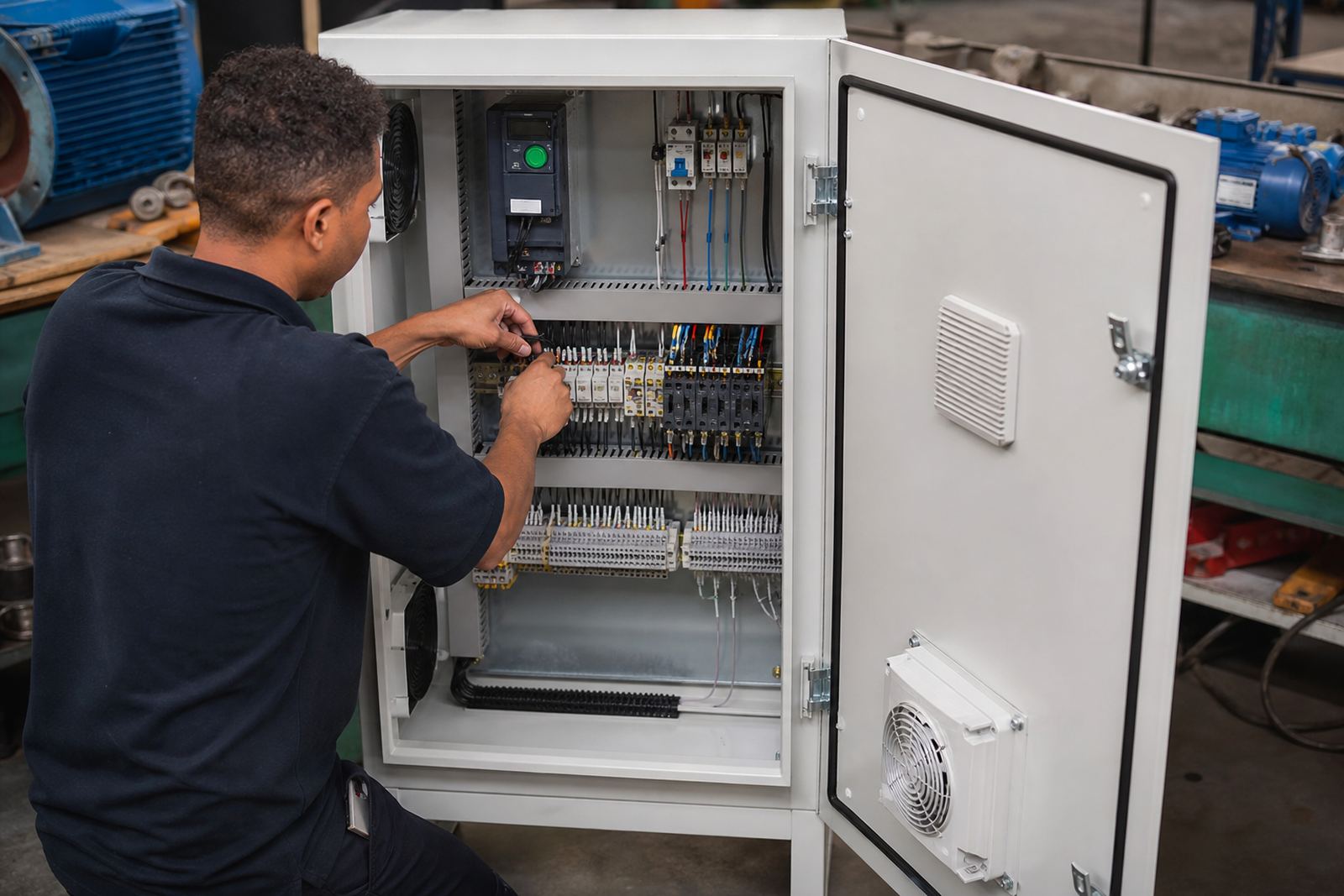
On motor control and variable speed drive cabinets, the risk is not only overheating. Dust can create tracking across insulation, interfere with cooling fans and make it harder to spot loose conductors, burnt marks or signs of arcing. A panel that runs fine on Monday can start tripping on Friday if the inside is packed with fine dust and the filter mats are blocked.
Start with the room around the cabinet
Good panel dust control starts outside the panel. If the surrounding area is dirty, the cabinet will keep drawing in airborne grit every time a door is opened or a fan runs. A simple sweep-up around the base, better storage of raw material, and keeping grinding, cutting and bagging work away from electrical panels can make a real difference.
Where possible, keep the cabinet off the floor and away from direct traffic. Forklifts, pallet jacks and frequent foot movement stir up more dust than many managers realise. In Germiston and Ekurhuleni workshops, we often see cabinets mounted near loading bays or fabrication areas and the inside collects far more dirt than the panel on the quieter side of the building.
- Keep the floor around the panel clean and dry
- Do not store cardboard, rags or chemicals against the cabinet
- Leave space for cooling air to move freely
- Close doors properly after every inspection or adjustment
Use filtration and airflow that suits the site
Some enclosures are meant to be sealed, while others depend on filtered airflow to keep temperatures down. The important part is matching the dust protection method to the site conditions. A panel in a light-duty office plant has different needs from one in a quarry, timber yard or recycling line. If filters are fitted, they need checking and replacement before they clog up. A blocked filter can be just as bad as no filter at all.
Fans should be checked for dirt on the blades and around the guards. If a drive cabinet is fitted with an air conditioner or heat exchanger, the coils must be kept clean so the system can remove heat properly. On hot summer days in Gauteng, a cabinet that already has dust build-up can struggle a lot more during peak load, especially where load-shedding caused repeated restarts earlier in the week.
- Inspect intake and exhaust openings during routine shutdowns
- Replace damaged seals, gaskets and filter media
- Check that fan direction and ventilation paths are correct
- Clean heat sinks and cooling fins with care so debris does not pack deeper into the unit
Cleaning panels without creating new faults
Cleaning needs to be done carefully. Blowing dust around with a high-pressure air line can push grime deeper into terminals, breakers and electronic boards. It can also force dust into bearings and encoder parts nearby. A proper clean is controlled, with power isolated, lockout procedures applied and the cabinet confirmed safe before anyone opens it.
Qualified people should use the right tools for the job, such as vacuum extraction where suitable, soft brushes for loose dirt and approved cleaning methods for electrical components. If there is evidence of heat damage, moisture entry or repeated tripping, the panel should be inspected in more detail rather than just wiped out and closed again. A quick clean on its own may hide the real cause of the problem.
- Isolate the supply and follow lockout procedures before opening the enclosure
- Remove loose dust gently, do not blast it into the wiring
- Look for burnt terminals, discoloured insulation and loose gland entries
- Record any recurring dust sources for the next service visit
What to check inside a dusty drive cabinet
Variable speed drives are sensitive to heat and contamination. Dust on the heatsink, fan path or control board can lead to nuisance faults, reduced cooling and shortened component life. During a proper inspection, technicians normally look at the condition of the fan, the cleanliness of the airflow path, terminal tightness, cable entry points and any signs of corrosion. In coastal areas and in plants with washdown nearby, dust can mix with moisture and form a sticky layer that is harder to remove.
For plants in Pretoria, Vereeniging or Durban, the site conditions may vary, but the principle stays the same: if the cabinet is dirty, the internal parts work harder than they should. That can also affect commissioning after a shutdown, when a drive is restarted and the system is expected to come back cleanly first time. A small amount of dust can become a bigger issue if the panel has already been running warm.
- Check heatsinks, fans and vents for dirt build-up
- Inspect cable glands and door seals for gaps
- Review panel layout if dust is entering from machine openings
- Include insulation testing where cables or motor circuits show signs of stress
A practical Germiston example
A typical example is a production workshop in Germiston where fine metal dust collects near a motor control room. The panels were being opened for fault finding only when a drive tripped, but the real issue was gradual dust entry through worn seals and a failed cabinet fan. After cleaning, bearing checks on nearby motors, seal replacement and a clearer maintenance routine, the site had fewer heat-related stoppages and the panel stayed much cleaner between visits.
That kind of result usually comes from small actions done consistently. It is not about one big fix. It is about keeping the room tidy, checking airflow, planning shutdowns properly and making sure the electrical work is handled by qualified people. That includes motor rewinding, drive repair, panel cleaning and cable checks done with the correct isolation procedures in place.
Plan panel care into shutdowns and inspections
Dust control works best when it is built into the maintenance plan. If a panel is only opened after a breakdown, there is usually more dirt, more heat stress and more time lost on fault finding. During planned shutdowns, it helps to combine panel inspection with drive inspection, alignment checks, spares assessment and site reporting so the condition of the whole system is tracked properly.
For sites across Johannesburg, Ekurhuleni, Pretoria, Vereeniging and Durban, Locor supports plants and workshops with practical servicing and repair work based from Germiston. The aim is straightforward: keep enclosures cleaner, reduce avoidable faults and make it easier for your team to spot problems early. A clean panel is not just a nice-to-have, it is part of keeping the line alive.